
Track and protect your GitHub streak
A GitHub streak is a run of consecutive days on which you made at least one qualifying contribution — a commit, pull request, issue, or review. GitHub counts each day in a fixed timezone, so the streak grows as long as no day is left empty and resets to zero the moment one is. Here is how to track and protect yours without gaming it.
How GitHub streaks work
A streak is a run of consecutive days on which you made at least one qualifying contribution. GitHub tallies your activity day by day, and as long as no day in the run is empty, the streak keeps growing. Miss a single day and the counter resets to zero — which is exactly why streaks feel so precious and so precarious.
Not every action counts. Commits to your default branch, pull requests, issues, and reviews extend a streak; pushes to side branches, wiki edits, and most comments do not. Just as importantly, a contribution only counts if GitHub can attribute it to you — the commit's email address has to be one that is verified on your account. A day full of work can still read as empty if the attribution is off.
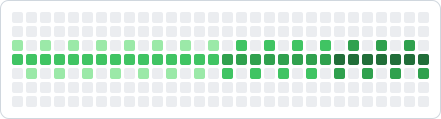
Tracking your streak means watching two things at once: the unbroken run behind you, and the next day that needs coverage in front of you. Graphex shows both on your dashboard, so the question "am I on track?" always has a clear answer.
Why streaks break unexpectedly
Most broken streaks are not about laziness — they are about invisible details. These are the usual culprits.
GitHub evaluates each day against a specific timezone. If you commit just before midnight in your local time, it may land on the next or previous day server-side — silently leaving a gap you never intended.
Weekends, travel, illness, and busy sprint days are when streaks quietly die. Without a reminder the day before, it is easy to look up and realize the run ended 48 hours ago.
Commits made with the wrong email, or pushed to a non-default branch, do not register on your graph. You did the work, but the streak does not know it.
The streak freeze concept
Popular habit apps let you "freeze" a streak — a built-in grace day that pauses the counter instead of resetting it. GitHub has no such feature, so a broken day is genuinely broken. The healthy adaptation is to design deliberate rest into your plan rather than pretending you will contribute every single day forever.
In practice, that means planning your contributions ahead of time and deciding which days truly must be covered. When you know your schedule a week or a month out, an unexpected busy day stops being a threat — you either front-load the work or accept a planned pause on your own terms. Protecting a streak is far less about willpower and far more about knowing, every morning, whether today is a day that counts.
How Graphex protects your streak
Graphex turns your streak from a thing you hope survives into a thing you plan. You lay out the days that need a contribution, and the dashboard surfaces a clear "on track" status alongside your current run. Before a scheduled day arrives, email and push reminders nudge you so a busy afternoon never costs you weeks of progress.
Crucially, Graphex never commits for you and never backdates anything. It protects your streak by keeping the right day in front of you at the right time, so the contributions stay real and the momentum stays yours. Pair it with a contribution graph design and your streak does double duty — consistency and a graph you are proud of.
Frequently asked questions
What counts as a contribution for a GitHub streak?
Commits to the default or gh-pages branch, opening pull requests and issues, submitting pull request reviews, and co-authored commits generally count. Pushing to other branches, wiki edits, and comments usually do not. If a day has at least one qualifying contribution, your streak continues.
Why did my streak break even though I committed?
The most common causes are timezone mismatches (GitHub evaluates the day in UTC, or in your configured timezone, which may differ from your local clock), commits pushed to a non-default branch, or an email on the commit that is not linked to your GitHub account. A contribution that does not attribute to you will not extend your streak.
What is a streak freeze?
A streak freeze is a personal rule some developers adopt: planned rest days that you deliberately schedule so a gap does not feel like a failure. GitHub itself does not offer an official freeze, so the practical equivalent is planning your contributions ahead of time and knowing exactly which days must be covered.
Does Graphex commit for me to keep my streak?
No. Graphex helps you plan which days need a contribution and reminds you before they arrive, but you make the real contributions yourself. It protects your streak by preventing surprises, not by faking activity.